RELOCORD PRODUCT TOUR
See how one moving record comes together.
Real Relocord screens show how documents, condition evidence, issues, charges, and timeline events stay connected from estimate through delivery.
Product page updated August 13, 2026 · Demo data shown · iOS 17+
What does Relocord organize?
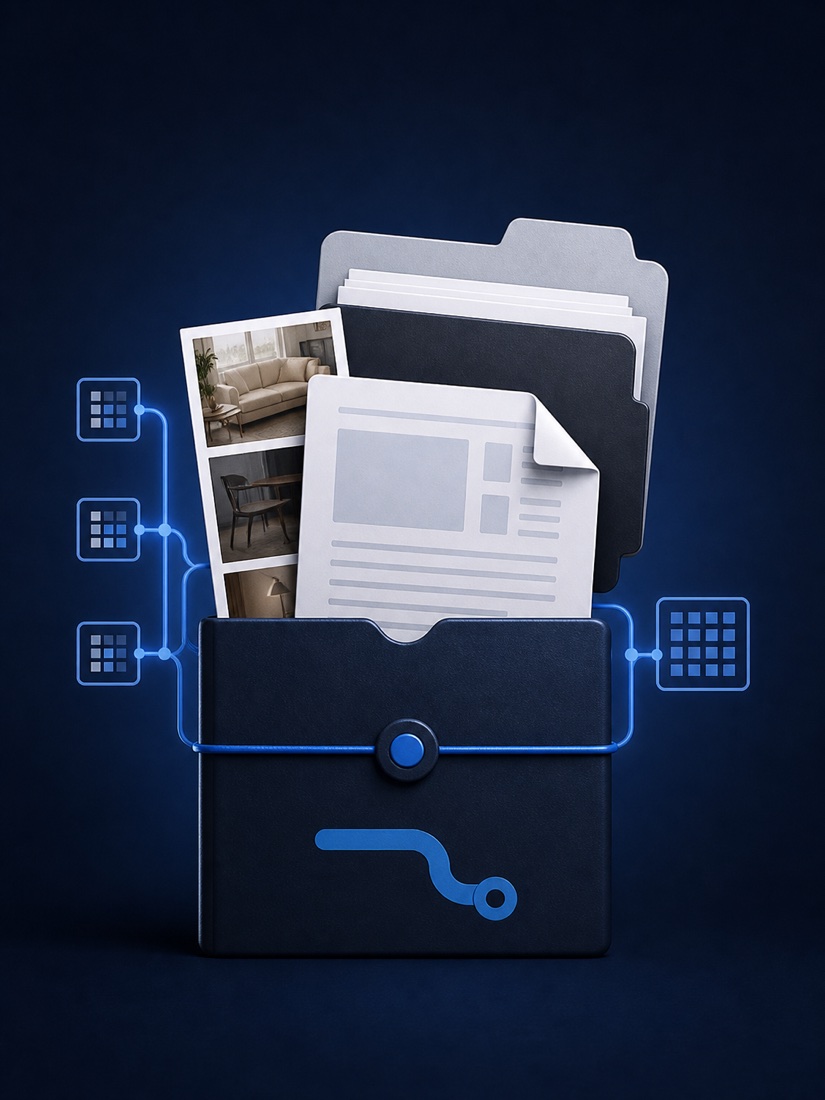
Relocord organizes the records a household mover may need to review later: estimates and revisions, the bill of lading, shipment inventory, receipts, pickup and delivery photos, added charges, issue notes, and a dated timeline. Imported content stays in the app’s local iOS container. OCR runs on the device and presents extracted facts for review rather than silently treating them as authoritative. Exports are created only when the user starts the process. Relocord has no account system, advertising SDK, analytics SDK, or developer document server. It helps assemble a clearer record; it does not verify the truth of a document, create a trusted timestamp, provide legal advice, or guarantee acceptance by a mover, insurer, regulator, or court.
MOVE HUB
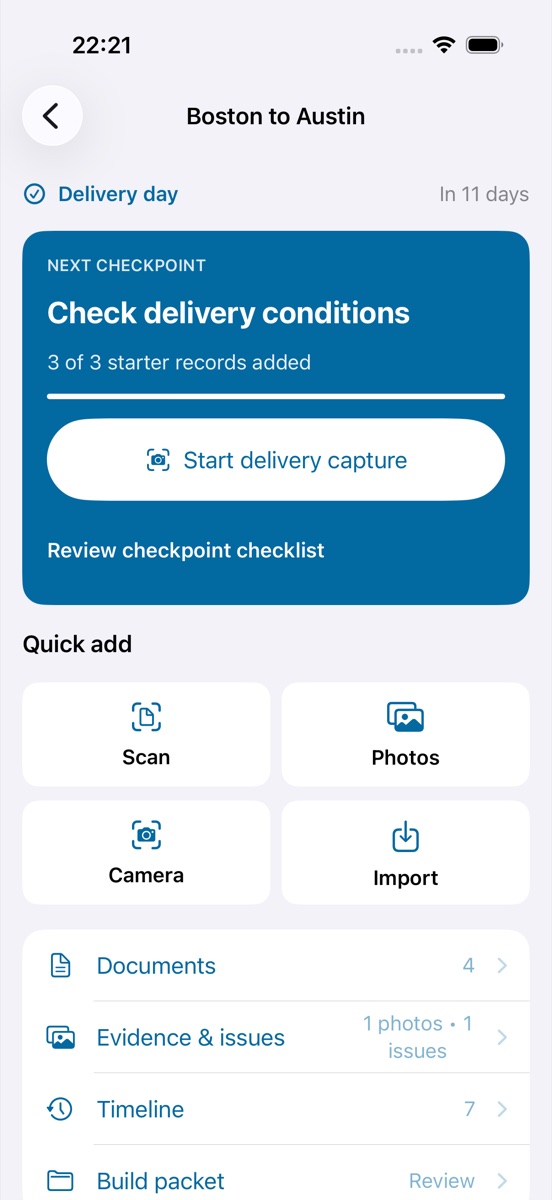
Start from the next checkpoint.
The move hub summarizes the current stage, starter-record progress, quick capture actions, and counts for documents, issues, timeline events, and packet readiness. This keeps the practical next step visible without hiding the underlying record.
DOCUMENT REVIEW
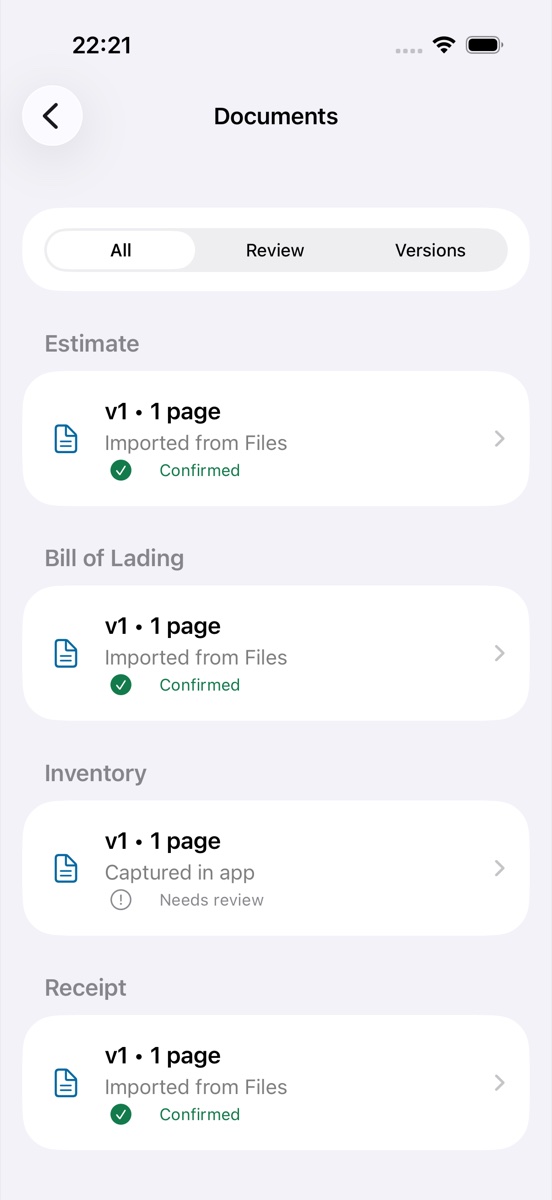
Group each source by document type and review state.
Estimates, the bill of lading, inventory, receipts, and other records remain grouped by type. Each version keeps its source and review state visible, so a confirmed record is distinguishable from OCR output that still needs attention.
EVIDENCE & ISSUES
Connect an issue to the records that support it.
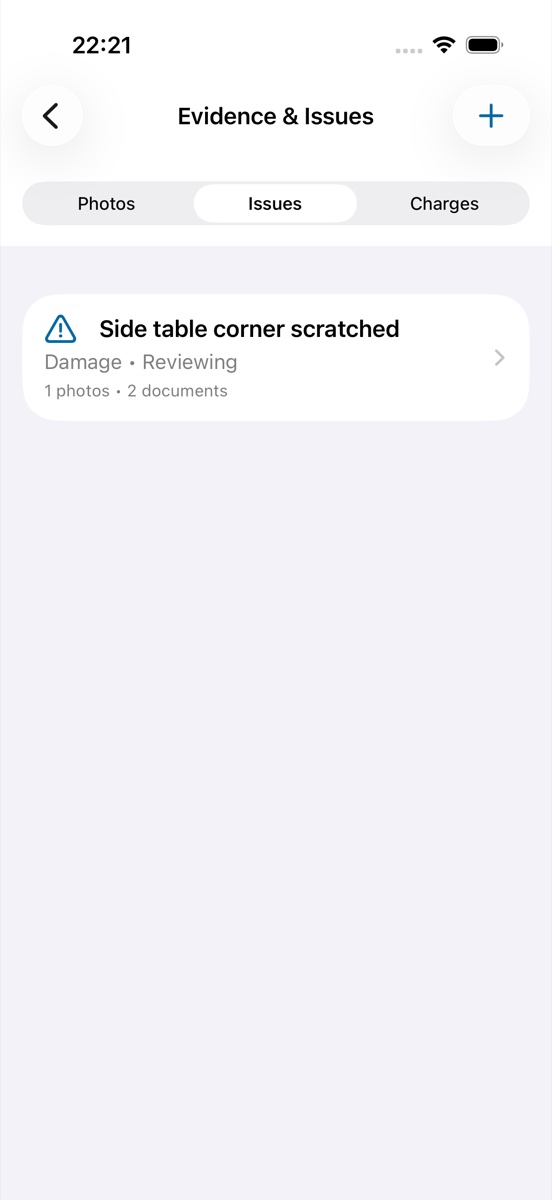
Damage, missing items, delays, and charge questions can be recorded as issues. Related condition photos, documents, and charges stay linked, making it easier to understand what supports an issue without searching through unrelated files.
TIMELINE
Keep changes in chronological order.
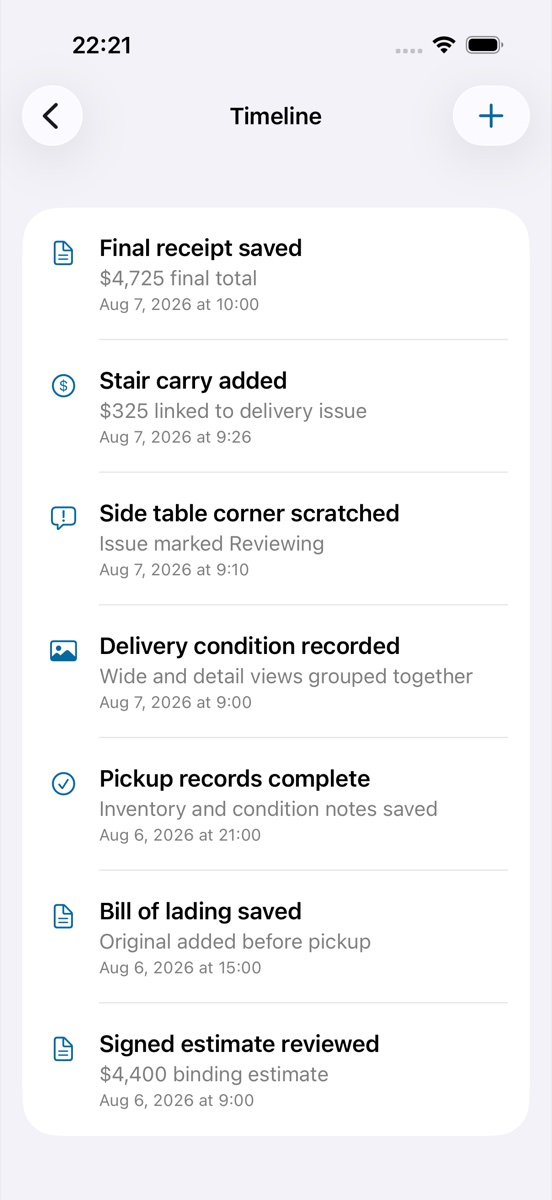
The timeline combines saved documents, recorded condition, issues, charges, and manual checkpoints. Dates and short notes make the sequence readable while the original source records remain available elsewhere in the move.
PACKET EXPORT
Review readiness and privacy controls before export.
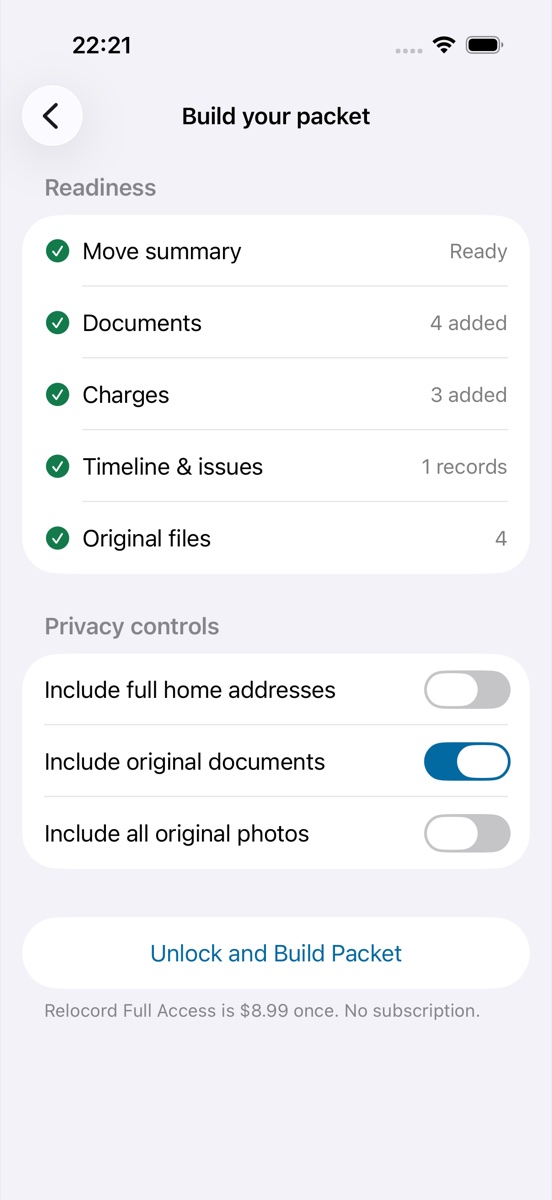
The packet screen checks whether the move summary, documents, charges, timeline, issues, and original files are ready. The user chooses whether full addresses, original documents, or original photos are included before creating a PDF or ZIP package.
PRIVATE BY DESIGN
What stays on the device?
Imported documents, photos, extracted facts, charges, issues, and timeline records are stored in Relocord’s local iOS container. The app does not run a user-data backend. Device and iCloud backup behavior is controlled by Apple and the user’s settings.
Read the complete privacy policy →Prepare the records before moving day.
Use the free checklist now, or get Relocord on the App Store.